
Behind the Screen - A Blog
What Actually Happens During Website Maintenance ?
Most people think website maintenance is simply clicking an "Update" button.
If only it were that easy.
Keeping a WordPress website healthy involves much more than updating a few plugins every month. After years of building, managing and maintaining websites, I've learned that a proper maintenance visit is about preventing problems before they happen, rather than fixing them afterwards.
Here's what actually happens behind the screen.
Before I touch anything, I create a fresh backup of the website.
If something unexpected happens during an update, having a recent backup means the site can be restored quickly. It's a safety net that should never be skipped.
Step 1: Create a Backup
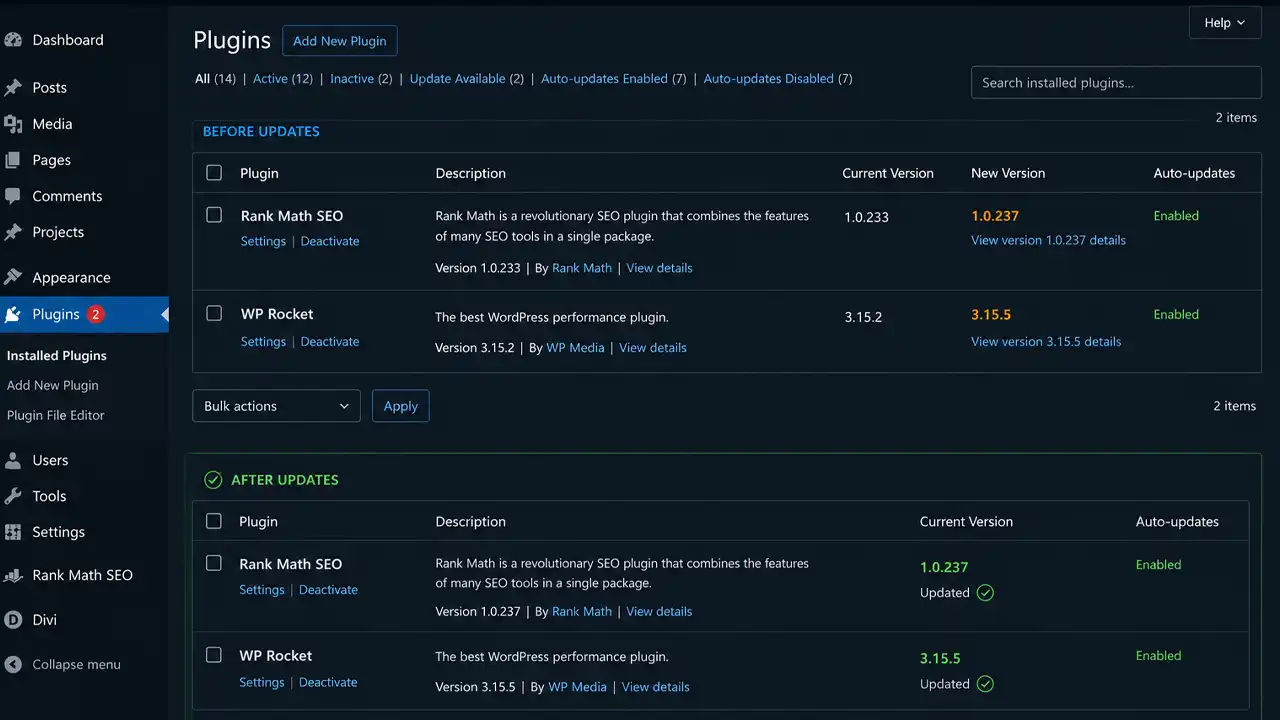
Each plugin is updated individually, checking compatibility as I go. I also update the active theme to ensure it continues working with the latest version of WordPress.
This isn't simply a case of clicking "Update All". Some websites require a more cautious approach, particularly if they use custom functionality or WooCommerce.
Step 2: Check for WordPress Core Updates
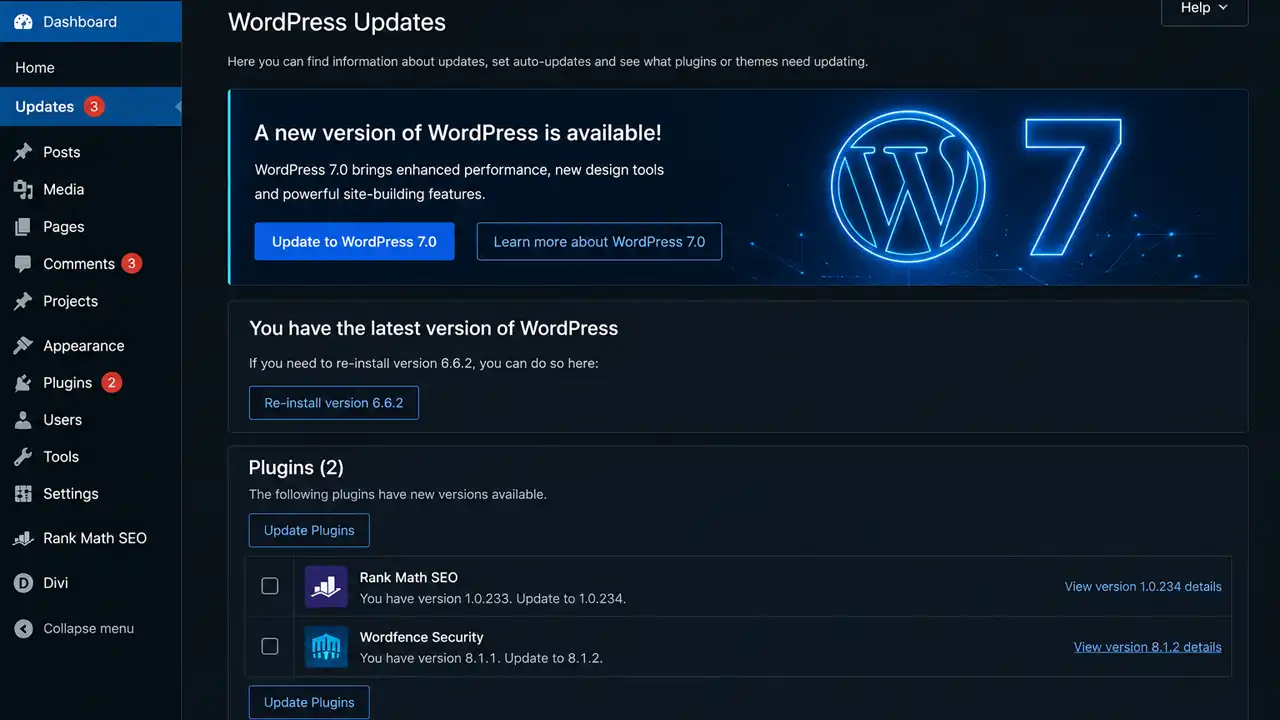
WordPress regularly releases updates that improve security, performance and functionality.
Major releases, like WordPress 7, often introduce new features and compatibility changes, while smaller releases focus on bug fixes and security patches.
Updating the core software keeps your website secure and running efficiently.
Step 3: Update Plugins and Themes
Most WordPress websites rely on plugins for additional functionality, from contact forms and SEO tools to booking systems and online shops.
Step 4: Test the Website
Once everything has been updated, it's time to make sure everything still works.
I check:
- Key pages
- Contact forms
- Navigation
- Mobile responsiveness
- Images
- Internal links
- Any custom functionality
For e-commerce websites, I also test product pages, baskets and the checkout process.
Step 5: Security Review
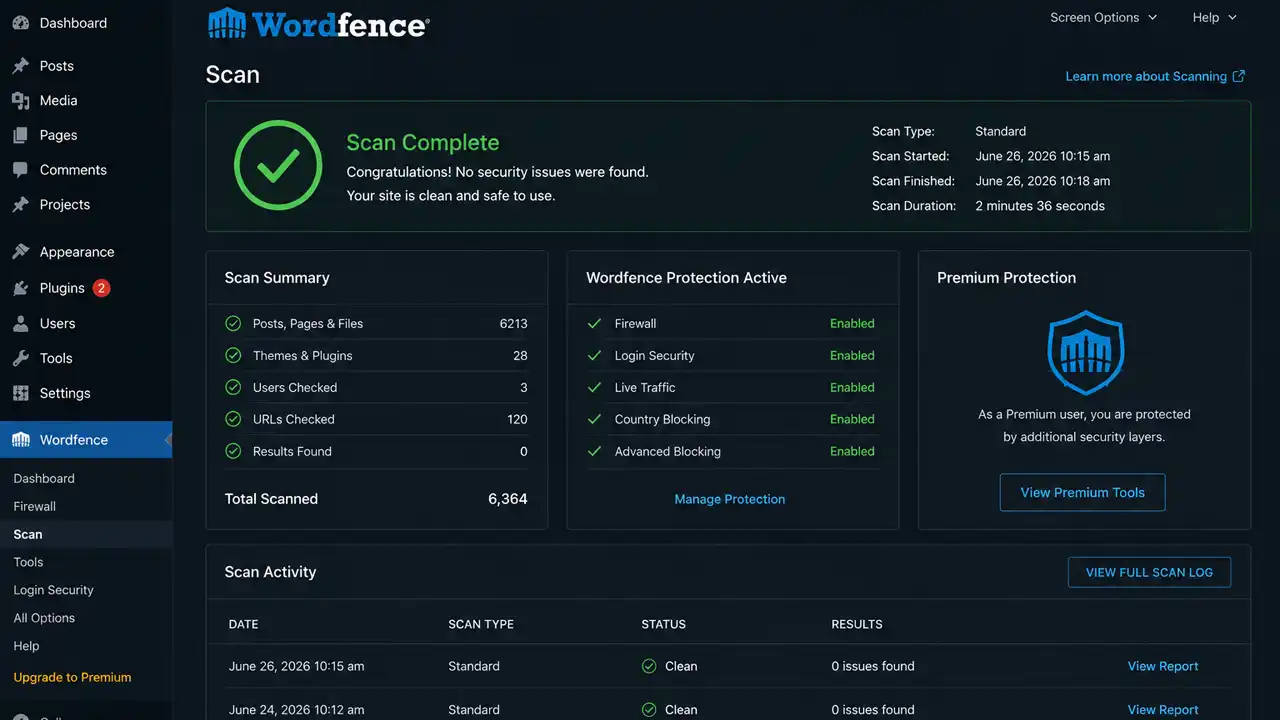
Hackers are constantly looking for outdated software to exploit.
As part of a maintenance visit, I check that security features are working correctly and that everything is running on supported versions.
Keeping software up to date remains one of the simplest and most effective ways to protect a website.
Step 6: Performance Check
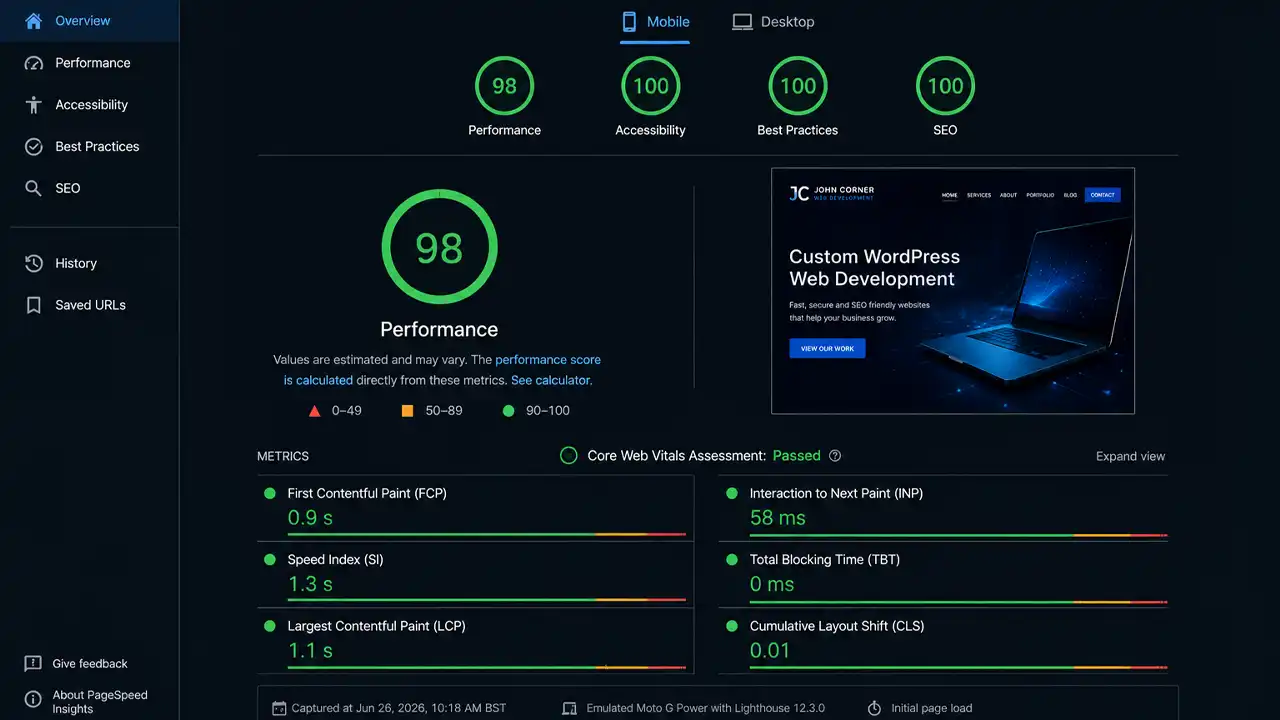
A website might still work after an update, but is it still performing well?
I keep an eye on:
- Loading speed
- Caching
- Image optimisation
- General responsiveness
Small improvements over time help keep websites fast and visitors happy.
Step 7: Fix Small Issues Before They Become Big Ones
One of the biggest benefits of regular maintenance is spotting problems early.
It might be:
- A plugin that's no longer supported
- A form that's stopped sending emails
- A page displays incorrectly after an update
- A warning from the hosting company
- An SSL certificate approaching renewal
Catching these issues early often prevents costly repairs later.
Why Website Maintenance Matters
Your website is often the first impression people have of your business.
If it loads slowly, displays errors or stops working altogether, it doesn't just affect your visitors. It can affect your search rankings, enquiries and your reputation.
Regular maintenance helps keep everything running smoothly, securely and reliably.
Final Thoughts
Website maintenance isn't the most exciting part of owning a website, but it's one of the most important.
Most maintenance visits finish without you noticing anything has changed.
That's exactly how it should be.
Behind the scenes, updates have been applied, security improved, compatibility checked and your website is ready for whatever comes next.
If you'd like someone to take care of your WordPress website, so you don't have to worry about updates, backups or compatibility issues, get in touch. I'd be happy to help.